Google Sunsets Gemini CLI: Why Developers Must Migrate to Antigravity 2.0 Now

If your terminal-based developer workflow felt like it received a sudden jolt after the Google I/O 2026 keynote, you aren’t alone. In an unexpected and massive shake-up to the AI development landscape, Google officially announced the deprecation of the wildly popular Gemini CLI (which amassed over 100,000 GitHub stars).
In its place stands Google Antigravity 2.0—a complete paradigm shift from simple interactive chatbots to a fully autonomous, multi-agent coordination command center.
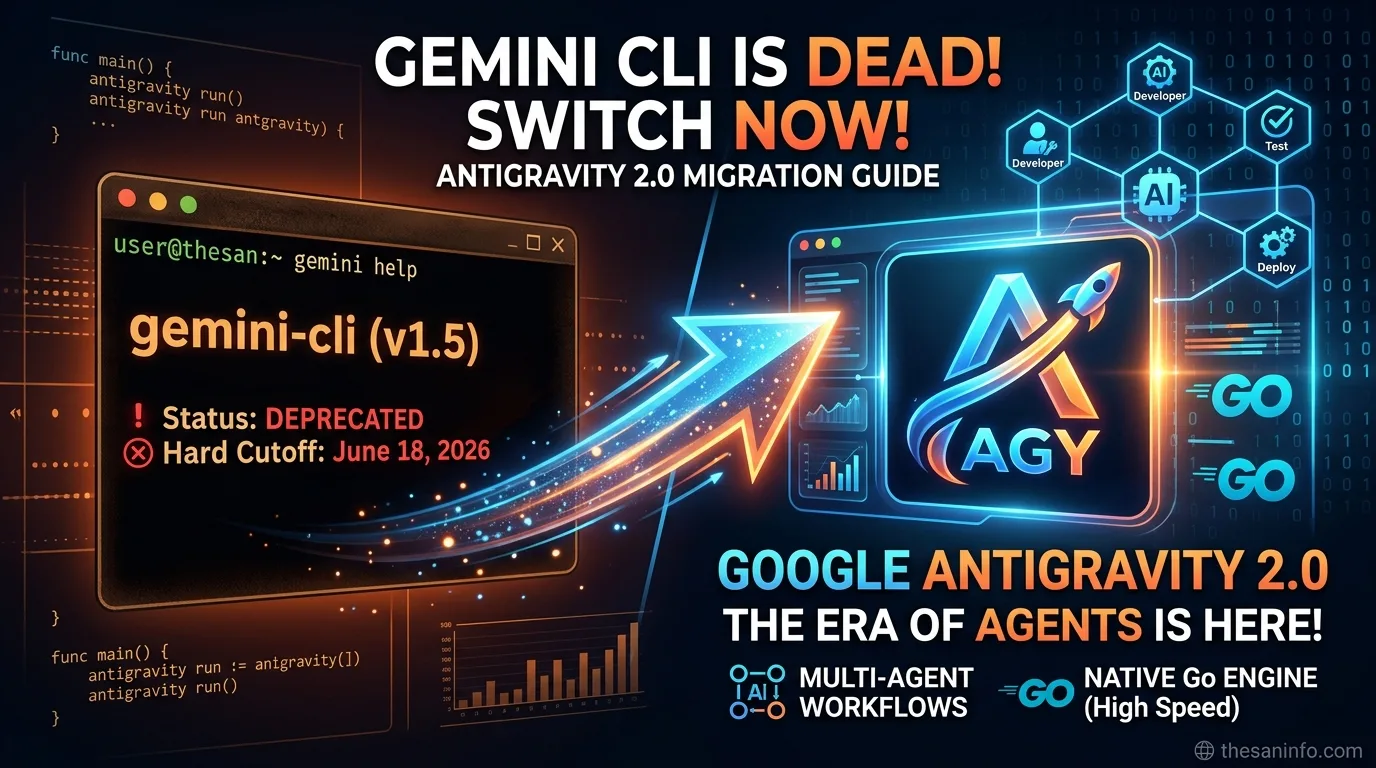
Here at The San Info, we’ve spent the last 48 hours breaking down the documentation, speaking with engineers, and testing the transition. If you are currently relying on Gemini CLI or legacy Code Assist tools, you have until June 18, 2026, to migrate your workflows before APIs are completely shut off.
Here is everything you need to know about why Google made this move, what Antigravity 2.0 actually brings to your terminal, and how to execute a flawless migration.
Why Google Killed Gemini CLI (It’s Not Just a Rebrand)
When Gemini CLI launched, it treated AI as an inline terminal assistant. You asked a question, it gave you an answer or wrote a single script. It was linear, synchronous, and required constant human babysitting.
But the industry has rapidly shifted toward agentic workflows.
Today, you don’t just want an AI to write a function; you want a principal agent that can orchestrate a team of specialized sub-agents. You want one agent to draft the API endpoints, another to run parallel unit tests in a sandboxed container, and a third to watch for deployment errors—all happening asynchronously in the background.
In their official migration blog post, Google Developers noted:
“Gemini CLI proved the terminal could be an incredible interface for agentic tasks, but your needs shifted. You now require multiple agents communicating with each other to split up the work and solve complex problems. This means your terminal tools need to share a unified backend with the rest of your workflow.”
By shifting resources to Google Antigravity, Google is unifying its entire desktop, cloud, and CLI experience under one engine.
What’s Under the Hood of Antigravity 2.0?
Antigravity 2.0 isn’t just an IDE plugin; it’s a standalone operational environment for autonomous agents. Rebuilt entirely on Google’s newly unveiled Gemini 3.5 Flash model, the platform introduces several ground-breaking features:
1. Standalone “Agent-First” Architecture
Unlike traditional AI coding environments that sit inside an IDE sidebar, Antigravity 2.0 runs as a lightweight, background daemon on macOS, Linux, and Windows. It detaches the agent from the IDE entirely, letting you spin up independent, multi-folder projects without locking down your editor.
2. Dynamic, Parallel Sub-Agents
Instead of overwhelming a single context window with thousands of lines of code, instructions, and target goals, the master agent in Antigravity 2.0 acts as a manager. It spawns highly focused, short-lived “sub-agents” to handle individual tasks in parallel. One sub-agent searches your codebase, another refactors a component, and a third handles documentation. Once finished, they report back to the parent agent to merge the work.
3. Native Voice and “Neural Expressive” UI
If you prefer talking over typing, Antigravity 2.0 now features native, low-latency voice command support. Built on Google’s new Gemini Omni world model, it allows you to describe architectural changes verbally, while fluid visual feedback and haptic integration show you precisely what your agentic crew is building.
For a deeper dive into the origin of this technology, check out our coverage on the initial Gemini Omni Leak: Inside Google’s AI Video Engine and our comprehensive analysis of the official release, Google Gemini Omni Video AI in 2026 by San.
4. Scheduled “Cron-style” AI Jobs
You can now build cron jobs for your agents. You can schedule an agent to:
- Perform security audits on your codebase at 2:00 AM every night.
- Generate weekly competitive analysis reports from Google Search.
- Monitor your live application logs and automatically draft bug-fix PRs.
Gemini CLI vs. Antigravity 2.0: The Fast Comparison
| Feature | Gemini CLI (Legacy) | Antigravity 2.0 CLI (New) |
|---|---|---|
| Primary Engine | Node.js | Native Go (Built for high-concurrency, see the official Go Language Home for ecosystem details) |
| Concurrency | Single-agent, synchronous | Multi-agent, asynchronous parallel execution |
| Work Environment | Terminal chat only | Terminal, Desktop App, and SDK integrations |
| Scope of Work | Simple code generation/chat | Autonomous, multi-file software engineering |
| Background execution | No (Blocks prompt) | Yes (Runs scheduled or background daemon tasks) |
The Sunset Timeline: Mark Your Calendar
- May 19, 2026 (I/O Announcement): Antigravity 2.0 Desktop and CLI are officially live.
- June 18, 2026 (The Hard Cutoff): Gemini CLI access will be completely deactivated for all Individual, Pro, and Ultra tier developers.
- Note: Enterprise and Google Cloud corporate teams have a brief grace period, but migration should begin immediately to avoid structural breakages.
How to Migrate Safely (Step-by-Step)
Migrating to a new CLI tool can be intimidating, especially if you have highly customized settings or extensive chat logs. Here is how to make the switch seamlessly.
Step 1: Export Your Gemini CLI Config
Before installing the new CLI, backup your active Gemini configuration.
# Create a local backup of your legacy config files
mkdir -p ~/gemini-cli-backup
cp -r ~/.config/gemini-cli/* ~/gemini-cli-backup/
Step 2: Install the Antigravity CLI
To download and install the new native Go binary, run the official installation script:
# Install the Antigravity CLI on macOS and Linux
curl -fsSL [https://antigravity.google/install.sh](https://antigravity.google/install.sh) | bash
(Windows users can install using the Windows Package Manager—see the Microsoft Winget Documentation for more info: winget install Google.AntigravityCLI)
Step 3: Initialize the New SDK and Environment
Run the initialization sequence to authenticate your Google Cloud or Google AI Studio accounts:
antigravity init
This will guide you through setting your active API keys or OAuth credentials.
Step 4: Port Your Custom Agent Profiles
If you created custom instructions or templates under Gemini CLI, copy them over to the new Antigravity workspace structure:
# Move legacy context files to the new platform directory
cp ~/gemini-cli-backup/prompts/* ~/.config/antigravity/agents/
The Verdict: A Necessary Evolution
While letting go of a tool as familiar and beloved as the Gemini CLI is always tough, the sheer speed and engineering capabilities of Antigravity 2.0 make the transition painless.
No longer are we simply “vibe-coding” with smart autocomplete—we are now managing autonomous digital engineering teams directly from our shell.
Are you running into any bugs or API resolution errors while migrating your workspace? Let us know in the comments below, and we’ll help you debug! Keep coding, and welcome to the era of Antigravity.
Enjoyed this deep dive? Subscribe to thesaninfo.com newsletter for daily, no-nonsense developer news, hands-on tutorials, and technical guides that keep you ahead of the curve.