Grok vs ChatGPT: Which AI Is Better in 2026?

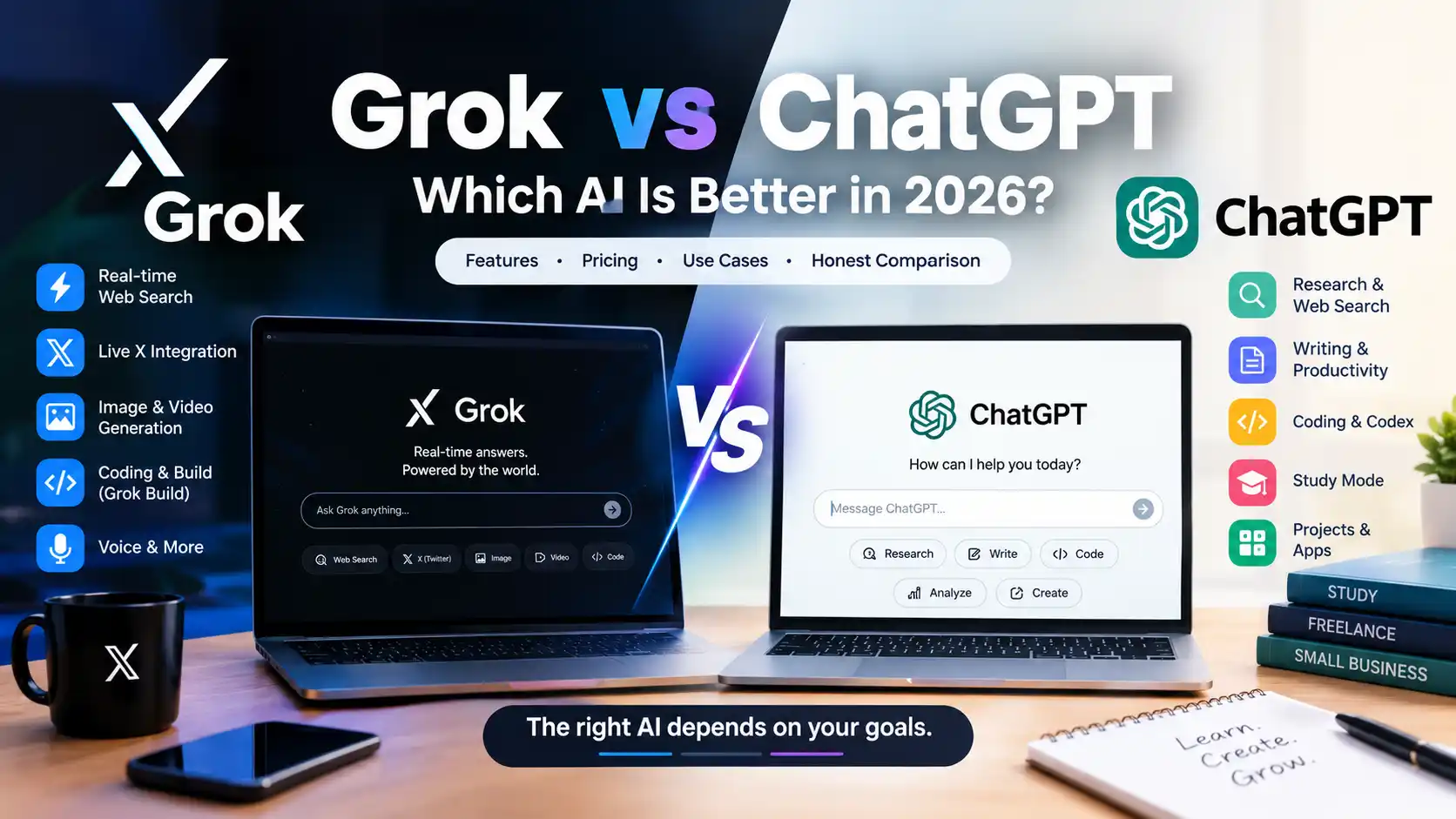
Grok and ChatGPT are two of the most capable AI assistants available today, but they are not identical. Each has different strengths, pricing, tools, and ideal use cases.
Choose Grok if you care about real-time web information, live X content, image and video generation, or rapid AI-assisted building.
Choose ChatGPT if you want a broader productivity assistant for writing, research, studying, coding, file analysis, and business workflows.
For most US students, freelancers, and small businesses, ChatGPT is the better all-around choice. Grok becomes especially attractive when live X information, current trends, and multimedia creation are important to your work.
This comparison looks at Grok vs ChatGPT across pricing, features, research, writing, coding, education, freelancing, small business use, and everyday productivity.
Grok vs ChatGPT at a Glance
| Category | Grok | ChatGPT |
|---|---|---|
| Company | xAI | OpenAI |
| Free access | Yes | Yes |
| Lowest paid consumer plan | SuperGrok: $30/month | Go: $8/month in the US |
| Main paid consumer plan | SuperGrok: $30/month | Plus: $20/month |
| Real-time web search | Yes | Yes |
| Live X integration | Yes | No native X feed integration |
| Voice | Yes | Yes |
| File and PDF analysis | Yes | Yes |
| Image generation | Yes | Yes |
| Video generation | Yes | Available through OpenAI’s broader product ecosystem |
| Coding | Yes | Yes |
| Deep research | Yes | Yes |
| AI building tools | Grok Build | Codex and other tools |
| Best for | Live information, X, media, rapid building | Productivity, study, writing, coding, research |
| Best value for most individual users | — | ChatGPT |
Pricing and feature information in this article was checked against official vendor pages on October 4, 2026. AI products change frequently, so pricing and feature availability can change after publication.
What Is Grok?
Grok is xAI’s general-purpose AI assistant for conversation, research, reasoning, coding, content creation, and interactive tasks.
Grok can search the web in real time and has a direct relationship with X, allowing it to use public X posts as part of its research. xAI also promotes capabilities such as voice conversations, file analysis, image generation, video generation, coding, reasoning, and AI-assisted building.
One of Grok’s biggest differences is its connection to X. That makes it particularly interesting for users who follow breaking news, social conversations, trends, creators, or public discussions happening on the platform.
Grok is available on the web and mobile, with free and paid options.
What Is ChatGPT?
ChatGPT is OpenAI’s general-purpose AI assistant for conversation, research, analysis, writing, learning, coding, and productivity.
ChatGPT can search the web, analyze files and images, generate images, help with coding, support research, assist with studying, and provide different tools depending on the user’s plan.
Instead of being only a question-and-answer chatbot, ChatGPT has developed into a broader AI workspace. Features such as Projects, Study Mode, Deep Research, file analysis, coding tools, and business-oriented functionality make it useful for both individuals and organizations.
Grok vs ChatGPT for Real-Time Information
Real-time information is one of the most interesting differences between Grok and ChatGPT.
Grok has real-time web search and live integration with X. This makes it useful when you want to find out what people are currently discussing, look at recent public posts, or research fast-moving topics.
For example, a marketer might use Grok to research what people are saying about a new product on X. A journalist might use it to examine current public conversations. A freelancer could use it to identify emerging trends before writing a social media campaign.
ChatGPT also has web search and Deep Research. These tools can be useful when you need to gather information from multiple web sources, organize findings, compare sources, and produce a structured answer.
The key distinction is that Grok has a particularly strong connection to the X ecosystem.
Winner: Grok for live X and social information
For broader research that involves structured analysis, multiple sources, files, and long-form work, ChatGPT remains extremely useful.
Grok vs ChatGPT for Writing
Both Grok and ChatGPT can write emails, articles, summaries, social media posts, scripts, reports, and other content. For another writing-focused matchup, see ChatGPT vs Claude for writing.
Grok can be useful for conversational writing, brainstorming, rewriting, social content, and current-topic research. Its creative features also make it interesting for marketers and creators who combine text with visual content.
ChatGPT has an advantage when writing is part of a larger workflow.
For example, a freelancer might upload a client document, analyze it, research a topic, create an outline, write the article, revise the copy, and then generate related content without leaving the same environment.
That broader workflow is one reason ChatGPT remains attractive for professional writers and freelancers.
Winner: ChatGPT for structured professional writing
Grok can still be an excellent writing assistant, especially for social content and current-topic research.
Grok vs ChatGPT for Students
Students can use both tools for studying, research, writing support, brainstorming, summarization, and explanations.
ChatGPT currently offers several features that are particularly useful for education, including Study Mode, web search, file uploads, data analysis, image understanding, and other learning tools depending on the user’s plan.
A student could use ChatGPT to:
- Explain a difficult topic
- Summarize lecture notes
- Analyze a PDF
- Create practice questions
- Build a study plan
- Review a concept step by step
- Analyze data
- Brainstorm an essay structure
Grok can also be useful for students, especially when current information matters.
A student researching a recent political event, technology announcement, viral topic, or public discussion on X may find Grok particularly useful.
However, students should not blindly trust either AI assistant. Important facts, citations, statistics, quotations, calculations, and academic claims should be independently verified.
Winner: ChatGPT for general studying
Best alternative: Grok for current-event and X-focused research
Grok vs ChatGPT for Coding
Both Grok and ChatGPT can help programmers write, explain, debug, and improve code.
Grok includes coding capabilities and Grok Build, which is designed to help users create applications, websites, games, dashboards, and other projects using natural-language instructions.
This can be especially interesting for beginners, entrepreneurs, and freelancers who want to turn an idea into a working prototype quickly.
ChatGPT has a broader coding workflow through tools such as Codex and file-based development workflows on eligible plans.
For example, a developer can use ChatGPT to:
- Explain existing code
- Debug errors
- Refactor code
- Analyze project files
- Create documentation
- Generate tests
- Work through technical problems
- Assist with larger development workflows
Grok is particularly interesting for rapid prototyping, while ChatGPT is strong as an all-purpose programming assistant.
Winner: ChatGPT for broader coding workflows
Best for rapid AI-assisted building: Grok
Grok vs ChatGPT for Freelancers
Freelancers should not choose an AI assistant simply because one model sounds better in demonstrations.
Instead, choose the tool that helps with the work you actually get paid to do.
Grok may be a better choice for freelancers who:
- Manage social media
- Follow X trends
- Monitor public discussions
- Create visual content
- Research rapidly changing topics
- Build quick prototypes
- Need image and video generation
ChatGPT may be a better choice for freelancers who:
- Write articles
- Create proposals
- Analyze documents
- Work with spreadsheets
- Build software
- Research business topics
- Prepare presentations
- Develop repeatable AI workflows
Price is also important.
ChatGPT Go currently costs $8 per month in the US, while ChatGPT Plus costs $20 per month. xAI currently lists SuperGrok at $30 per month.
For a freelancer who mainly wants a capable AI assistant at a lower price, ChatGPT has the advantage.
Winner: ChatGPT for most general freelance workflows
Grok can be the better option for freelancers whose business revolves around social media, live information, or multimedia.
Grok vs ChatGPT for Small Business
Small businesses should evaluate more than basic chatbot quality.
A business may need AI for:
- Customer communication
- Marketing
- Research
- Coding
- Documents
- Data analysis
- Team collaboration
- Internal knowledge
- Workflow automation
ChatGPT has a strong position here because its ecosystem extends beyond individual conversations.
Business users can access workspace features, collaboration tools, coding capabilities, connected services, and business-oriented administration depending on their plan.
Grok also offers business capabilities, including team management, connectors, user controls, analytics, and enterprise-oriented security features.
For a company that relies heavily on X, social trends, and visual content, Grok is particularly interesting.
For a company that needs a broader general-purpose productivity environment, ChatGPT is likely to be the more practical choice.
Winner: ChatGPT for general small-business productivity
Best for X-centered businesses: Grok
Grok vs ChatGPT for Images and Video
Grok has made image and video generation an important part of its product offering.
xAI promotes Grok Imagine for creating and editing images and generating video from prompts or images.
This can be useful for:
- Social media posts
- Marketing visuals
- Product concepts
- Promotional graphics
- Short-form video ideas
- Creative experiments
ChatGPT also supports image generation and image understanding.
The difference is less about whether both can create images and more about the surrounding workflow.
Grok puts considerable emphasis on combining conversational AI with multimedia creation.
ChatGPT is particularly attractive when image generation is part of a larger writing, research, document, or productivity workflow.
Winner: Grok for integrated image-and-video creation
Grok vs ChatGPT Pricing
Pricing checked October 4, 2026.
AI subscription prices can change quickly, so verify the official pricing pages before making a purchase.
Grok Pricing
xAI currently lists the following consumer options:
Grok Free: $0 per month
SuperGrok: $30 per month
SuperGrok Plus: $100 per month
The free plan provides access to Grok with limits. Paid plans provide higher usage and additional access to features and capabilities.
SuperGrok is designed for users who need higher limits and additional premium capabilities.
SuperGrok Plus is aimed at heavy users who want much higher usage and additional premium access.
ChatGPT Pricing
OpenAI currently offers several plans.
ChatGPT Free: $0
ChatGPT Go: $8 per month in the US
ChatGPT Plus: $20 per month
OpenAI also offers higher-priced business and professional plans.
The exact tools, models, limits, and availability vary by plan.
Which Is Cheaper?
For most individual US users, ChatGPT is cheaper at the paid entry level.
ChatGPT Go is $8 per month, while SuperGrok is $30 per month.
ChatGPT Plus is also $10 cheaper per month than SuperGrok.
That does not automatically make ChatGPT the better value for everyone. A user who heavily depends on Grok’s live X integration, multimedia tools, or Grok-specific capabilities may find the higher subscription worthwhile.
Winner: ChatGPT for lower-cost paid access
Grok Pros and Cons
Grok Pros
- Real-time web search
- Live X integration
- Image generation
- Video generation
- Voice conversations
- File and PDF analysis
- Coding support
- Grok Build
- Useful for trend research
- Free access available
Grok Cons
- Paid access can be more expensive than ChatGPT
- Some capabilities depend on your plan
- X-focused features are less valuable if you rarely use X
- AI-generated answers still require verification
- Product features and limits can change quickly
ChatGPT Pros and Cons
ChatGPT Pros
- Free plan available
- $8/month Go plan in the US
- $20/month Plus plan
- Web search
- Deep Research
- File analysis
- Data analysis
- Image generation
- Study Mode
- Projects
- Coding tools
- Business workspace options
- Broad productivity ecosystem
ChatGPT Cons
- Advanced tools vary by plan
- Usage limits apply to some features
- Some business capabilities require paid plans
- Product and model availability can change
- Users still need to verify important information
Which One Should You Choose?
There is no reason to choose the same AI for every type of user.
Choose Grok if you are a student who:
- Follows current events
- Uses X frequently
- Researches social trends
- Wants image and video creation
- Enjoys experimenting with new AI tools
Choose ChatGPT if you are a student who:
- Works with PDFs
- Wants structured study assistance
- Uses Study Mode
- Writes reports and essays
- Needs data analysis
- Wants an all-purpose productivity assistant
Choose Grok if you are a freelancer who:
- Works in social media
- Tracks X trends
- Creates visual media
- Researches breaking topics
- Builds prototypes quickly
Choose ChatGPT if you are a freelancer who:
- Writes for clients
- Creates proposals
- Analyzes documents
- Codes
- Performs research
- Builds repeatable AI workflows
Choose Grok if your small business:
- Depends on X
- Tracks social conversations
- Creates lots of visual media
- Needs current trend information
Choose ChatGPT if your small business:
- Uses documents and spreadsheets
- Needs coding support
- Wants a broad productivity environment
- Needs team collaboration
- Works with multiple business applications
Can You Use Grok and ChatGPT Together?
Yes.
You do not necessarily need to treat them as direct replacements.
For example, you might use Grok to monitor current X discussions and discover trends, then use ChatGPT to organize the research, analyze documents, write content, or create a structured report.
A content creator could use Grok for discovering current topics and multimedia ideas, then use ChatGPT for article development and editing.
However, most individual users do not need two paid subscriptions.
Start with the free options, compare the tasks that matter to you, and upgrade only when the additional capabilities actually save you time or generate value.
Frequently Asked Questions
Neither is universally better. Grok has a strong advantage for real-time web and X information, while ChatGPT provides a broader productivity environment for writing, research, learning, coding, files, and business workflows. The better option depends on the tasks you perform most often.
Yes. xAI offers a free version of Grok. Paid plans provide higher limits and additional premium capabilities. Because feature access and limits can change, check the official xAI pricing page before subscribing.
Yes. OpenAI offers a Free plan with access to ChatGPT and a selection of features, although usage limits apply. OpenAI also offers paid plans including Go and Plus.
Both can generate, explain, and debug code. Grok is particularly interesting for rapid prototyping with Grok Build, while ChatGPT provides a broader coding workflow with tools such as Codex on eligible plans. For most professional developers, ChatGPT is the stronger general-purpose choice.
Yes. Grok supports real-time web search and has integration with X. This can make it particularly useful for current events, social trends, public conversations, and rapidly changing topics.
ChatGPT is the stronger general-purpose choice for most students because of features such as Study Mode, file analysis, web search, research tools, and data analysis. Grok is especially useful for students interested in current events and discussions on X.
For many tasks, yes, but not for every workflow. Grok can handle writing, research, coding, files, search, image and video generation, while ChatGPT provides a broader productivity ecosystem. Compare the specific features you use before switching completely.
Final Verdict: Grok vs ChatGPT
So, which one should you choose?
For most US students, freelancers, and small businesses, ChatGPT is the better overall AI assistant in 2026.
Its biggest advantage is the range of work it can support. You can use it for research, writing, studying, coding, file analysis, image generation, data analysis, and broader productivity tasks.
Its lower-cost paid options also make it easier for individual users to enter the premium ecosystem.
Grok is the stronger specialist choice for users who care heavily about real-time information, X, social trends, multimedia generation, and rapid AI-assisted building.
Its direct connection to X is a genuine differentiator, while its image and video capabilities can make it especially attractive to creators and marketers.
The simplest way to decide is:
Best overall: ChatGPT
Best for real-time X information: Grok
Best for general productivity: ChatGPT
Best for multimedia-focused workflows: Grok
Best for lower-cost paid access in the US: ChatGPT
Best for rapid AI-assisted building: Grok
The best AI is ultimately the one that helps you finish your actual work faster and more effectively.