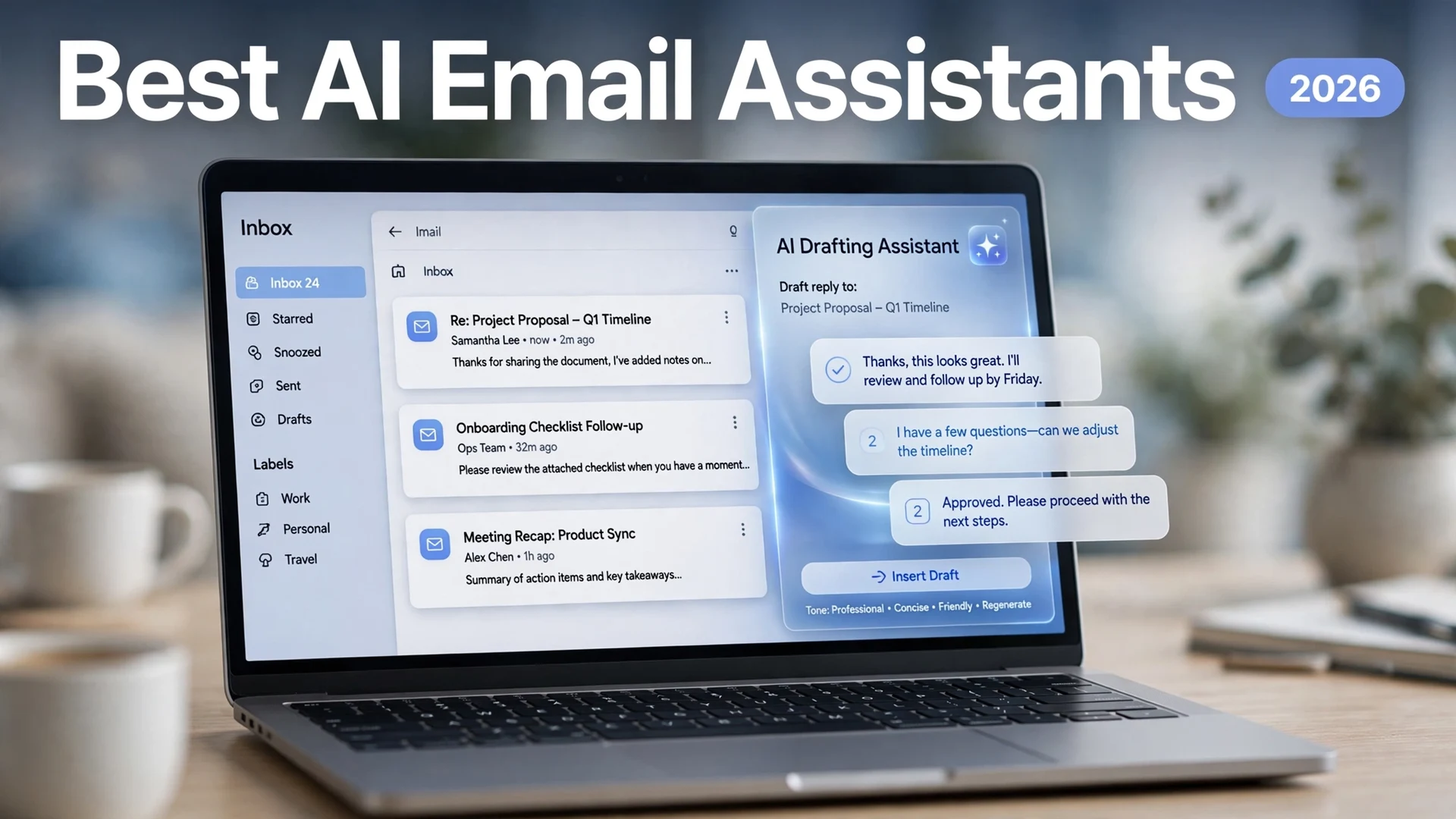
Best AI Email Assistants in 2026

Quick answer: The best AI email assistant in 2026 depends on your inbox. For most Gmail users, Google’s built-in Gemini AI is the smart first move — free on personal Gmail accounts in the US, with no setup. Outlook users should start with Microsoft Copilot. Heavy email users get the most from Superhuman ($30/month) or Shortwave (free tier for Gmail), Fyxer AI drafts replies in your tone without changing clients, and SaneBox quietly filters noise on any email account.
The average professional now spends over three hours a day on email, and most of it is not the email itself — it is the triage, the drafting, the follow-ups, and the “wait, what did they say in that thread last month?” hunting. AI email assistants promise to hand most of that busywork back to you. Some do it inside the app you already use. Some replace your email client entirely. And some never touch your drafts at all — they just make the noise disappear.
This guide tests and compares the seven AI email assistants that matter in 2026: what each one does well, what it costs, and which inbox it fits — all current as of October 2026 — so you can pick the right one instead of paying for the wrong one.
1. Gemini in Gmail — Best Free Option for Gmail Users
If you use Gmail, you may already have an AI email assistant and not know it. Since January 2026, Google has given personal Gmail users in the US several Gemini features at no cost: Help me write drafts emails from a short prompt, AI-generated summaries condense long threads, and suggested replies are more personalized. No extension, no new app, no migration.
The paid tiers add more. Google AI Plus (around $4.99/month) and Google AI Pro ($19.99/month) unlock the AI Inbox and deeper search across your mail, and the features come included with Google Workspace plans (from around $7 per user per month). You can also type @Gemini in the side panel to ask questions about your inbox and find information buried in old messages.
The catch: it only works in Gmail, and the free tier is currently limited to US accounts. It is also reactive — you still open each thread and click the button. If that is enough, start with free AI tools before spending anything. For more on Google’s AI versus the alternatives, see our Gemini vs ChatGPT vs Claude vs Copilot comparison.
2. Microsoft Copilot in Outlook — Best for Microsoft 365 Users
Outlook users get the same treatment from the Microsoft side. Copilot in Outlook drafts emails from a prompt, summarizes long threads, adjusts length and tone, and coaches you on clarity — right inside Outlook on Windows, Mac, iPhone, Android, and the web. It also works with Gmail, Yahoo, and iCloud accounts you add to the new Outlook (not classic Outlook for Windows), and Microsoft states it does not train its foundation models on your data.
Pricing: Copilot in Outlook is included with Microsoft 365 Personal (around $9.99/month), Family, and Premium plans. It is not available with Microsoft 365 Basic or the free version of Outlook, though the free Outlook still offers basic AI suggested replies and predictive text.
The catch: it lives inside the Microsoft ecosystem. If your team runs on Google Workspace, Copilot is not an option — and the standalone Microsoft 365 Copilot add-on for business costs around $30 per user per month on top of Microsoft 365.
3. Superhuman — Best for Speed and Heavy Inboxes
Superhuman is the fastest way to work through email, period. The keyboard-first client is built for people who send 80 to 150 meaningful emails a day: AI summaries (Auto Summarize), one-click Instant Reply, Auto Drafts written in your voice, Auto Labels, Instant Event for creating calendar invites from messages, and Ask AI, which answers questions using your inbox, calendar, web, and uploaded knowledge. It holds Gmail and Outlook accounts side by side, with CRM integrations (HubSpot, Salesforce) on the Business tier.
Pricing: Starter is $30 per month ($25 billed annually); Business is $40 per month ($33 annually) and adds Auto Drafts, Ask AI, and the CRM integrations. There is no free tier — only a trial. (See Superhuman’s own comparison for their full feature rundown.)
The catch: the price, and the migration. Superhuman is a full client switch, not a plugin — your team has to move into it for the speed to pay off. For a casual inbox, it is hard to justify; for sales, recruiting, founders, and client-service teams, the hours reclaimed can cover the subscription many times over.
4. Shortwave — Best AI-Native Gmail Client
Built by former Google engineers from the original Inbox by Gmail team, Shortwave treats AI search, AI summaries, AI drafting, and AI categorization as the default state of the inbox rather than add-on features. The standout is the natural-language search: ask “what did Sarah say about the contract last month?” and it reasons over your mail history. Ghostwriter learns your writing voice from sent emails, and Smart Bundles group newsletters and notifications out of the way.
Pricing: Shortwave keeps a free tier for personal Gmail accounts (with limited AI search history). Paid plans start around $14 per user per month (Pro, billed annually) and $24 per user per month (Business, annual) with unrestricted AI usage. Details on Shortwave’s pricing page.
The catch: it is Gmail-only — no Outlook, no Microsoft 365, no IMAP. That is a hard architectural decision, not a feature gap, so Outlook users can stop reading here. It also does not draft proactively: you still open the app and handle what needs replies.
5. Fyxer AI — Best Drafts in Your Tone, No Client Switch
Fyxer AI sits on top of the Gmail or Outlook inbox you already have: no new app, no migration. It sorts incoming mail into folders, and leaves a reply draft waiting under the emails it thinks need an answer — written in your tone, learned from your past emails and calls. It also sends a bot into your meetings to take notes and turns them into follow-up drafts. Critically, nothing is ever sent automatically: every draft waits for your review. (See Fyxer’s AI secretary guide for the full picture.)
Pricing: a free plan with 400 credits per month (no drafts or sorting); Pro is around $37 per person per month billed annually ($49 monthly), and Team around $64 monthly billed annually. Since its 2026 repricing, sorting, chat, and recording all spend monthly credits — watch the metering on high-volume inboxes.
The catch: it only drafts. If you want an assistant that finishes the job — books the meeting, sends the follow-up — Fyxer leaves that final step to you.
6. SaneBox — Best for Silencing Inbox Noise
SaneBox is the odd one out: it does not draft anything. Instead, it learns who you reply to and how quickly, then moves low-priority messages into smart folders before you see them. SaneLater holds non-urgent mail, SaneBlackHole kills senders permanently, SaneNoReplies tracks emails you sent but never got a response to, and a daily digest summarizes everything it filtered.
Pricing: Snack $7 per month (1 account), Lunch $12 per month (2 accounts), Dinner $36 per month (4 accounts), with a 14-day free trial and around 20% off on annual billing.
The catch: there is no generative AI at all — it will not write a word. But it works with any email provider (Gmail, Outlook, Apple Mail, Fastmail) via IMAP, so it stacks nicely with a drafting tool from this list. If your bottleneck is volume rather than drafting time, removing noise beats writing faster.
7. Missive — Best for Teams and Shared Inboxes
Missive is built for teams that live in shared inboxes: support@, sales@, hello@. It combines email, chat, assignments, and AI drafting in one client, so a team can draft customer replies together without stepping on each other. AI features (drafting, summarization) come on the Productive tier and above. (Missive’s own AI email assistant roundup covers the landscape.)
Pricing: Starter from $14 per user per month billed annually, AI features from the Productive plan (around $24 per user per month), with a 30-day free trial.
The catch: the team-collaboration depth is overkill for a solo user. If it is just you and your inbox, one of the tools above is a better fit.
Comparison Table: The 7 Best AI Email Assistants at a Glance
| Tool | Best For | Starting Price (Oct 2026) | Works With |
|---|---|---|---|
| Gemini in Gmail | Free AI inside Gmail | Free for US personal accounts; from ~$4.99/mo | Gmail only |
| Copilot in Outlook | Microsoft 365 users | Bundled with Microsoft 365 Personal, Family, Premium | Outlook (+ Gmail/Yahoo/iCloud added to Outlook) |
| Superhuman | Speed and heavy inboxes | $30/mo ($25 annual); Business $40/mo | Gmail, Outlook |
| Shortwave | AI-native Gmail client | Free tier; Pro from ~$14/mo (annual) | Gmail only |
| Fyxer AI | Drafts in your tone, no client switch | Free (400 credits); Pro from ~$37/mo (annual) | Gmail, Outlook |
| SaneBox | Silencing inbox noise | $7/mo; 14-day trial | Any IMAP (Gmail, Outlook, Apple Mail) |
| Missive | Teams and shared inboxes | $14/user/mo (annual); 30-day trial | Gmail, Outlook, IMAP |
How to Pick the Right AI Email Assistant
Start with the two filters that eliminate most of the list: your email provider and whether you will switch clients. Shortwave and Gemini are Gmail-only; Copilot is Microsoft territory; SaneBox works anywhere. If you will not migrate, that leaves Gemini, Copilot, Fyxer, and SaneBox — and the decision becomes about your actual pain.
If writing takes your time, pick a drafter: Fyxer’s tone-matched drafts, Superhuman’s Instant Reply, or Gemini’s Help me write (it improves a lot when you write better AI prompts). If volume takes your time, pick a filter: SaneBox’s learning-based sorting or Shortwave’s bundles. If searching old threads takes your time, Shortwave’s natural-language search is the strongest answer in the category. And if your problem is a shared team inbox, Missive is the only one built for it.
One honest rule: try the free option first. Gemini costs nothing for US Gmail users, Shortwave’s free tier is genuinely useful, and most paid tools have trials. Pay only when you have outgrown the free tier — and re-check pricing before you buy, because this category reprices roughly quarterly.
FAQs
For most people, the AI already inside their inbox: Google’s Gemini in Gmail (free for US personal accounts) or Microsoft Copilot in Outlook. Power users get more from Superhuman or Shortwave, Fyxer AI drafts in your tone without changing clients, SaneBox kills noise on any account, and teams should look at Missive.
Yes. Gemini AI features are free for personal Gmail users in the US, Shortwave has a free tier for personal Gmail, Spark includes AI on its free plan, and SaneBox and Fyxer both offer free trials. Start with the free option before paying.
Yes — Fyxer AI, Shortwave’s Ghostwriter, and Superhuman all learn your writing voice from your sent emails and produce tone-matched drafts. The results are usually good enough to need only light edits, but always review before sending. If you prefer drafting with a general chatbot instead of a dedicated assistant, the same prompt principles apply – see how to use AI to write emails that get replies.
Yes. Superhuman supports both Gmail and Microsoft 365-hosted Outlook accounts side by side in the same client.
Most AI email assistants don’t send anything automatically — Fyxer, Shortwave, and Superhuman prepare drafts that wait for your review. SaneBox doesn’t draft at all; it filters low-priority mail out of your inbox.
No. AI email assistants handle roughly 60-70% of email-specific work — drafting, triage, scheduling, follow-ups, and thread summaries — but the final judgment on what to send stays with you.
Final Thought
The best AI email assistant is the one that removes your specific bottleneck, not the one with the longest feature list. Start free with the AI already inside your inbox — Gemini in Gmail or Copilot in Outlook — and only upgrade to Superhuman, Shortwave, Fyxer, or SaneBox when you know exactly what the free tier cannot do for you. As of October 2026, the smart money in this category is on layering: one filter to kill the noise, one drafter to speed the replies, and your judgment for everything that matters.