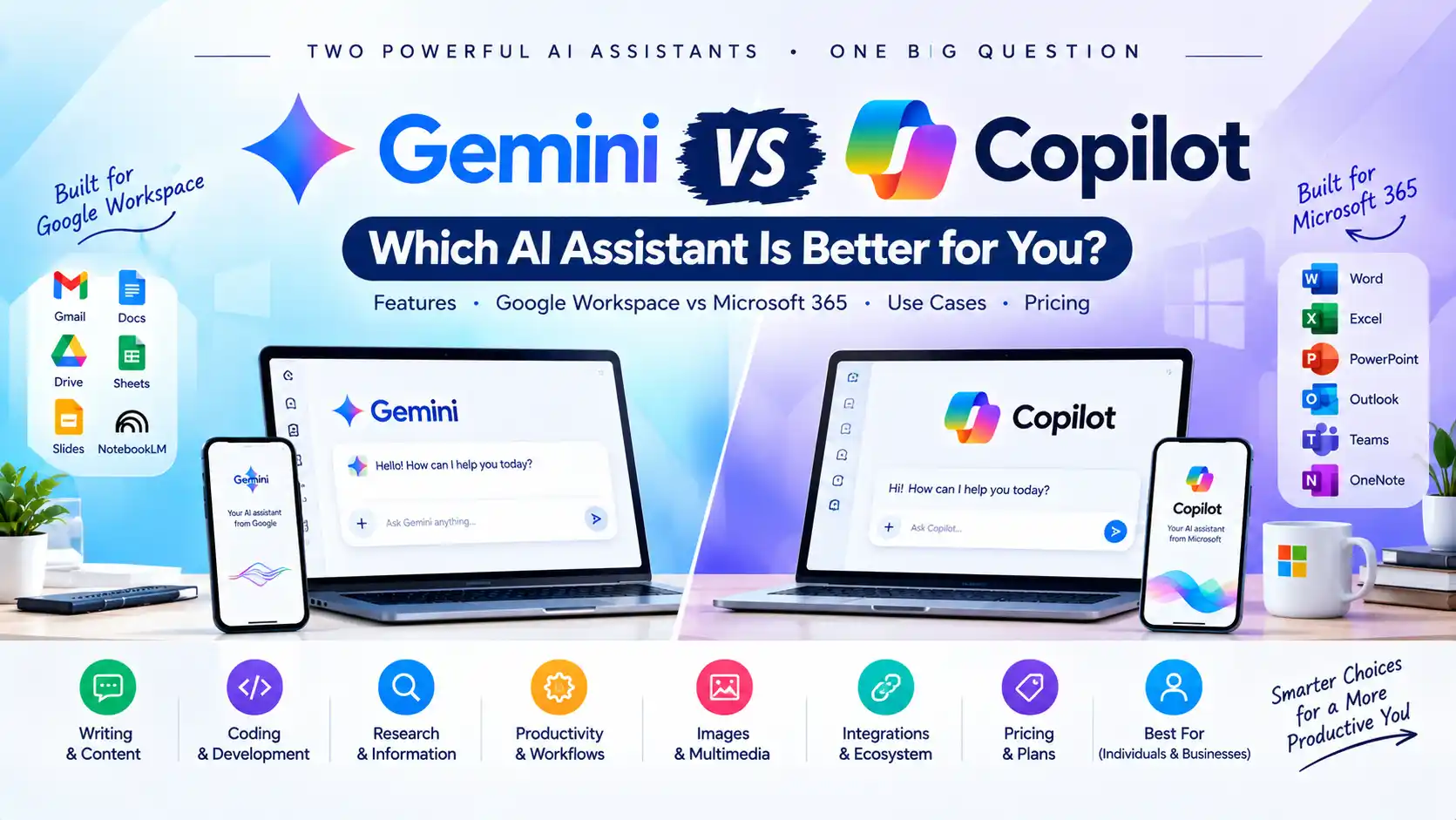
Gemini vs Copilot: Which AI Assistant Is Better for You?

Gemini vs Copilot is one of the most useful AI comparisons for people deciding between Google’s and Microsoft’s AI ecosystems.
Both can answer questions, write content, summarize information, work with files, generate images, help with coding, and assist with everyday tasks. But they are built around different ecosystems.
Google Gemini is deeply integrated with Google products such as Gmail, Google Docs, Drive, Sheets, Slides, NotebookLM, and Google Search.
Microsoft Copilot is deeply integrated with Microsoft’s ecosystem, particularly Word, Excel, PowerPoint, Outlook, Teams, OneNote, and Microsoft 365.
So which one should you use?
The practical answer depends less on the chatbot itself and more on where you already do your work.
AI models, features, usage limits, and subscription plans change frequently. This comparison focuses on the current product ecosystems and practical use cases rather than treating one model as permanently better.
Gemini vs Copilot: Quick Comparison
| Feature | Google Gemini | Microsoft Copilot |
|---|---|---|
| Main ecosystem | Microsoft | |
| General AI chat | Yes | Yes |
| Gmail integration | Strong | Not native |
| Google Docs | Strong | Not native |
| Google Drive | Strong | Not native |
| Microsoft Word | Limited compared with Copilot | Strong |
| Microsoft Excel | Limited compared with Copilot | Strong |
| PowerPoint | Strong through Google Slides | Strong |
| Outlook | Google ecosystem | Strong |
| Teams | Google Chat ecosystem | Strong |
| Web research | Strong | Strong |
| Deep research | Yes | Yes |
| File analysis | Yes | Yes |
| Image generation | Yes | Yes |
| Voice | Yes | Yes |
| AI agents | Expanding | Strong Microsoft ecosystem |
| Best ecosystem fit | Google Workspace users | Microsoft 365 users |
Google currently offers Gemini features directly inside Gmail, Docs, Drive and other Workspace apps, while Microsoft integrates Copilot directly into Word, Excel, PowerPoint, Outlook, Teams and other Microsoft 365 applications.
What Is Google Gemini?
Gemini is Google’s AI assistant and model ecosystem.
Rather than being only a standalone chatbot, Gemini is increasingly embedded into Google’s broader collection of products.
Google’s current Workspace documentation describes Gemini features across Gmail, Docs, Drive, Sheets, Slides, Vids, Forms and Chat.
Gemini can help with tasks such as:
- Writing and rewriting
- Email drafting
- Document summarization
- File analysis
- Research
- Brainstorming
- Image generation
- Coding
- Data analysis
- Creating documents and presentations
Google has also been adding more cross-application agentic capabilities. In September 2026, Google announced that Gemini could orchestrate tasks across Gmail, Drive, Docs, Slides and Chat, using information from selected files, emails and conversations.
That makes Gemini particularly interesting for people whose work already happens inside Google Workspace.
What Is Microsoft Copilot?
Microsoft Copilot is Microsoft’s AI assistant ecosystem.
It is available as a standalone AI experience but becomes especially powerful when used with Microsoft products.
Microsoft documents Copilot capabilities across:
- Word
- Excel
- PowerPoint
- Outlook
- OneNote
- Teams
- Microsoft 365
- Windows
- Web search
- Agents
For example, Microsoft says Copilot in Word can assist with creating and editing documents, Copilot in Excel can work with data, PowerPoint can assist with presentations, Outlook can work with email and calendars, and Teams can provide meeting highlights and action items.
Microsoft has also expanded Copilot’s agentic capabilities. Copilot’s agentic features in Word, Excel and PowerPoint can perform multi-step actions directly inside documents, spreadsheets and presentations.
Gemini vs Copilot: The Biggest Difference
The biggest difference is ecosystem integration.
Think about it this way:
Gemini = Google + AI
Copilot = Microsoft + AI
That distinction matters because an AI assistant becomes considerably more useful when it can work directly with the applications, files, emails and documents you already use.
Google’s current Gemini features allow users to work with information from Gmail, Drive and other Workspace sources, while Microsoft Copilot can work directly inside Microsoft 365 applications and, where enabled, organizational data.
Gemini vs Copilot for Everyday AI Chat
Both Gemini and Copilot can handle ordinary AI-chat tasks.
You can use either for:
- Answering questions
- Writing emails
- Summarizing text
- Brainstorming
- Rewriting
- Explaining complicated topics
- Planning
- Creating ideas
- Generating content
Copilot’s free version is explicitly positioned by Microsoft for general questions, answers and web-based tasks.
Gemini also offers access without a Google AI subscription, although Google applies usage limits and says limits can change according to demand, model, feature and other factors.
For basic chatbot use, there is therefore substantial overlap between the two.
The more important difference starts when you connect the AI to your work.
Gemini vs Copilot for Gmail and Outlook
This is one of the clearest differences.
Gemini for Gmail
Gemini is deeply integrated into Gmail.
Google documents capabilities including:
- Summarizing email threads
- Getting overviews of search results
- Drafting emails
- Refining emails
- Suggested replies
- Finding relevant information
- Scheduling assistance
Google also provides Gemini access inside Gmail for both personal and business workflows, depending on the applicable account and plan.
Copilot for Outlook
Copilot is deeply integrated into Outlook.
Microsoft says Copilot can interact with your inbox and calendar, while Microsoft 365 Copilot provides additional capabilities based on account licensing and organizational configuration.
Practical difference
If your workday revolves around Gmail and Google Workspace, Gemini has the more natural integration.
If your workday revolves around Outlook and Microsoft 365, Copilot has the more natural integration.
Gemini vs Copilot for Documents
Gemini in Google Docs
Gemini can draft, rewrite, summarize and refine documents in Google Docs.
Google also allows Gemini to use information from other files and sources, including content in Drive and Gmail, depending on the available features and account configuration.
Copilot in Microsoft Word
Copilot is built directly into Word for eligible Microsoft 365 users.
Microsoft describes Copilot in Word as helping users create, edit and summarize documents.
Which workflow feels more natural?
This is largely determined by your office suite.
Google Docs user → Gemini
Microsoft Word user → Copilot
Neither conclusion requires assuming that one model is universally better at writing.
Gemini vs Copilot for Excel and Google Sheets
This is another important distinction.
Gemini integrates with Google Sheets and other Workspace applications, while Copilot is deeply integrated with Excel.
Microsoft specifically positions Copilot in Excel around interacting with data and assisting with analysis and formulas.
Google’s Workspace Gemini features similarly extend into Sheets and can assist with spreadsheet workflows.
The practical decision is therefore often:
Google Sheets → Gemini
Microsoft Excel → Copilot
Gemini vs Copilot for PowerPoint and Presentations
Both companies provide AI-assisted presentation workflows.
Gemini works with Google Slides and can help create and edit content across Google’s productivity ecosystem.
Copilot is built into PowerPoint and Microsoft says it can help turn an outline or prompt into a presentation and assist with refining the result.
For people already using PowerPoint every day, Copilot’s native integration can be especially useful.
For people working entirely in Google Slides, Gemini has the more direct workflow.
Gemini vs Copilot for Research
Both platforms have increasingly sophisticated research functionality.
Gemini Deep Research
Google’s current Gemini documentation says Deep Research can perform in-depth, real-time research and use Google Search as a default source. Users can also add sources such as Gmail, Drive, uploaded files and NotebookLM notebooks, depending on the workflow.
Google also describes Deep Research features inside Workspace Studio that can search across Gmail, Drive, Chat and the web to produce a comprehensive report.
Copilot Search and research
Microsoft provides web-grounded Copilot experiences and Copilot Search.
Microsoft’s documentation says Copilot Search can provide AI-generated answers using connected organizational data and web-grounded information where enabled.
Which should you use?
For research, compare:
- Source access
- Citation quality
- Web freshness
- File handling
- Research depth
- Ability to work with your existing documents
- How well the results fit your workflow
For a dedicated research showdown between the other two big assistants, see ChatGPT vs Gemini for research.
Do not assume an AI-generated answer is automatically correct. Important information should still be checked against the underlying sources.
Gemini vs Copilot for Long Documents and Files
Gemini currently provides different context limits depending on the Google AI plan. Google’s documentation lists a 1-million-token context window for AI Pro and AI Ultra users in Gemini Apps, while accounts without a Google AI plan have a smaller context window.
Gemini can also use selected Google Drive files as sources when working in Workspace.
Copilot can work with files and Microsoft 365 content, but the exact scope depends on the Copilot product, license and organizational configuration. Microsoft describes Copilot as working across Microsoft 365 apps and organizational data sources.
For document-heavy work, the key question is therefore not merely:
Which AI can read a large document?
It is:
Which AI can work with the documents I already have in my normal workflow?
Gemini vs Copilot for Coding
Both Gemini and Copilot can help with programming.
Typical coding tasks include:
- Writing code
- Explaining code
- Debugging
- Refactoring
- Generating functions
- Creating scripts
- Reviewing code
- Explaining errors
Gemini has a large Google developer ecosystem surrounding its models.
Copilot has a strong Microsoft developer ecosystem and integrates into Microsoft’s broader software environment.
For developers, compare:
- IDE integration
- Repository access
- Terminal or agent capabilities
- Model selection
- Context handling
- Tool use
- API pricing
- Your cloud platform
For a developer already heavily invested in Microsoft tools, Copilot may fit more naturally. A developer working primarily within Google services and Google’s AI tooling may prefer Gemini.
Gemini vs Copilot for Image Generation
Both ecosystems now include AI image-generation capabilities.
Gemini currently supports image generation and editing through its Gemini Apps, including the Nano Banana model family. Google says free users can access some image-generation functionality, while higher-quality and additional capabilities can depend on the applicable Google AI plan.
Copilot also supports image creation through the Copilot experience, and Microsoft’s current personal plans advertise higher usage for image creation and editing.
If image creation is important, compare the specific model, image limits, editing tools and output requirements rather than simply choosing based on the assistant’s name.
Gemini vs Copilot for Voice
Voice interaction is available in both ecosystems, although the exact experience depends on the app, account and plan.
Microsoft has explicitly offered Voice in Copilot, including free access to Copilot Voice and Think Deeper in its consumer Copilot experience.
Gemini also supports voice interaction through Gemini apps and related Google experiences.
For voice users, test the actual mobile and desktop applications you plan to use because availability and limits can vary.
Gemini vs Copilot for AI Agents
AI agents are becoming an increasingly important part of both ecosystems.
Google announced new agentic capabilities in Workspace that allow Gemini to perform more complex, cross-application tasks across Gmail, Drive, Docs, Slides and Chat.
Microsoft has also expanded agentic capabilities inside Word, Excel and PowerPoint, where Copilot can perform multi-step actions inside the application.
This means the comparison is moving beyond:
Ask AI → Get Answer
toward:
Give AI a task → AI performs multiple steps
That is likely to become increasingly important when evaluating these platforms.
Gemini vs Copilot Pricing
Pricing is one area where the comparison requires care because the two ecosystems bundle AI with different products.
Google Gemini
Google currently lists:
Google AI Plus: $9.99/month
Google AI Pro: $19.99/month
The Google AI Pro plan includes 5 TB of storage and expanded Gemini access, Deep Research, Gemini in Gmail, Docs and other Google products.
Google also offers Gemini without a Google AI plan, with standard usage limits.
Microsoft Copilot
Microsoft currently lists:
Microsoft 365 Personal: $9.99/month or $99.99/year
The plan includes Microsoft Copilot alongside Word, Excel, PowerPoint, Outlook, OneNote and 1 TB of cloud storage.
Microsoft also offers a free Copilot experience for general questions and web-based tasks.
Important pricing difference
These subscriptions are not simply:
$19.99 AI vs $9.99 AI
They are broader product bundles.
Google’s plan can include storage and Google AI services, while Microsoft 365 Personal includes Office applications, storage and Copilot.
Therefore, compare the value of the complete bundle you would actually use, not just the AI feature.
Gemini vs Copilot: Free Version
Many people don’t need a paid plan immediately.
Microsoft states that its free Copilot is intended for general questions, answers and web-based tasks.
Google also provides Gemini access without a Google AI subscription, but its usage limits can change and some compute-intensive features may be more restricted during periods of high demand.
For casual AI usage, testing both free options can be more informative than comparing subscription specifications alone.
Gemini vs Copilot for Students
Students can use both for:
- Research
- Summarization
- Writing
- Brainstorming
- Study explanations
- Presentations
- File analysis
- Note-taking
Gemini becomes particularly interesting for students who already use Google Docs, Drive, Gmail and NotebookLM.
Copilot becomes particularly interesting for students who already use Word, PowerPoint, Excel and OneNote.
The better choice depends heavily on the software your school or university already uses.
Gemini vs Copilot for Business
For businesses, ecosystem integration becomes even more important.
Google Workspace business environment
Gemini integrates across Gmail, Drive, Docs, Sheets, Slides, Chat and other Workspace tools. Google has also been expanding AI-driven workflows that can operate across multiple Workspace applications.
Microsoft 365 business environment
Copilot integrates across Word, Excel, PowerPoint, Outlook, Teams and other Microsoft products.
Microsoft also emphasizes organizational data, security controls and business workflows in its Microsoft 365 Copilot ecosystem.
Practical rule
Google Workspace company → evaluate Gemini first
Microsoft 365 company → evaluate Copilot first
This is not a quality ranking. It is an ecosystem fit consideration.
Gemini vs Copilot: Pros and Cons
Gemini Pros
- Deep Google Workspace integration
- Strong Gmail and Docs integration
- Works with Google Drive sources
- Deep Research
- Strong Google ecosystem
- Large-context options on eligible plans
- Integration with NotebookLM and other Google AI products
Google’s current documentation confirms Gemini functionality across Gmail, Docs, Drive and other Workspace services, while higher-tier plans provide expanded limits and larger context windows.
Gemini Cons
- Some advanced features require paid plans
- Usage limits can vary
- Google AI features can differ by account and product
- The strongest experience is especially tied to the Google ecosystem
Copilot Pros
- Deep Microsoft 365 integration
- Strong Word, Excel and PowerPoint integration
- Outlook and Teams integration
- Web-grounded AI capabilities
- Strong business ecosystem
- Agentic functionality inside Microsoft apps
- Free consumer version available
Microsoft documents Copilot functionality across its productivity apps and provides a free Copilot experience for general and web-based AI use.
Copilot Cons
- Advanced Microsoft 365 capabilities depend on the applicable subscription or license
- The most useful features are strongest inside Microsoft’s ecosystem
- Feature availability varies across personal and work accounts
- Some capabilities depend on organizational configuration
Gemini vs Copilot: Which One Should You Choose?
Use your existing workflow as the deciding factor.
Choose Gemini when you:
- Use Gmail every day
- Work primarily in Google Docs
- Store most files in Google Drive
- Use Google Sheets and Slides
- Use NotebookLM
- Prefer Google Search and Google services
- Want an AI assistant closely connected to Google Workspace
Google’s current Workspace capabilities make Gemini particularly relevant to this workflow.
Choose Copilot when you:
- Use Microsoft Word every day
- Work heavily in Excel
- Create PowerPoint presentations
- Use Outlook
- Use Microsoft Teams
- Store business information in Microsoft 365
- Want AI inside the Microsoft productivity environment
Microsoft’s current Copilot experience is deeply integrated with Word, Excel, PowerPoint, Outlook and Teams.
Gemini vs Copilot: Who Is It Best For?
| User type | More relevant ecosystem |
|---|---|
| Google Workspace user | Gemini |
| Microsoft 365 user | Copilot |
| Gmail-heavy workflow | Gemini |
| Outlook-heavy workflow | Copilot |
| Google Docs user | Gemini |
| Microsoft Word user | Copilot |
| Google Drive user | Gemini |
| Excel-heavy workflow | Copilot |
| Google Slides user | Gemini |
| PowerPoint-heavy workflow | Copilot |
| Microsoft Teams user | Copilot |
| NotebookLM user | Gemini |
This table is about workflow integration, not a universal ranking of AI quality.
Gemini vs Copilot FAQ
Neither is universally better for every user. Gemini is deeply integrated with Google’s ecosystem, while Copilot is deeply integrated with Microsoft’s ecosystem. The better fit depends on the applications and workflows you already use.
Copilot is specifically integrated into Microsoft 365 applications including Word, Excel, PowerPoint, Outlook and Teams, making it highly relevant for Microsoft Office workflows.
Gemini has direct integration with Gmail, Docs, Drive, Sheets, Slides and other Google Workspace services, making it highly relevant for Google Workspace workflows.
Yes. Gemini supports image generation and editing in Gemini Apps, while Copilot also supports AI image creation. Exact models, limits and features vary by product and subscription.
Yes. Gemini can use uploaded files and selected Google Drive sources, while Copilot can work with files and Microsoft 365 content depending on the applicable product and account.
Both provide research-oriented capabilities. Gemini offers Deep Research that can use Google Search and selected personal sources, while Copilot provides web-grounded search and Microsoft-connected research workflows.
Gemini can be used without a Google AI subscription, although Google applies usage limits and says those limits can change.
Microsoft offers a free Copilot experience for general questions and web-based tasks.
It depends mainly on the software the student already uses. Google Workspace users may find Gemini more naturally integrated, while Microsoft 365 users may find Copilot more naturally integrated.
The strongest starting point is usually the productivity ecosystem your organization already uses. Google Workspace environments should evaluate Gemini, while Microsoft 365 environments should evaluate Copilot. The actual choice should also consider security, administration, data access, pricing, and the specific workflows involved.
Final Verdict: Gemini vs Copilot
The most useful way to understand Gemini vs Copilot is not as a simple battle between two chatbots.
They are increasingly becoming AI layers inside two different productivity ecosystems.
Gemini is closely connected to Google Search, Gmail, Drive, Docs, Sheets, Slides, NotebookLM and Google Workspace.
Copilot is closely connected to Microsoft 365, Word, Excel, PowerPoint, Outlook, Teams and Microsoft’s business ecosystem.
So the practical rule is simple:
Google ecosystem → Gemini
Microsoft ecosystem → Copilot
For users who regularly switch between both ecosystems, the best approach may be to test both with the same real-world tasks:
- Write an email
- Summarize a long document
- Analyze a spreadsheet
- Research a topic
- Create a presentation
- Rewrite a report
- Analyze a file
- Generate an image
Then compare the results, speed, integrations, limits and total subscription cost for your own workflow.
That is a much more useful test than asking which AI assistant is universally “the best.”