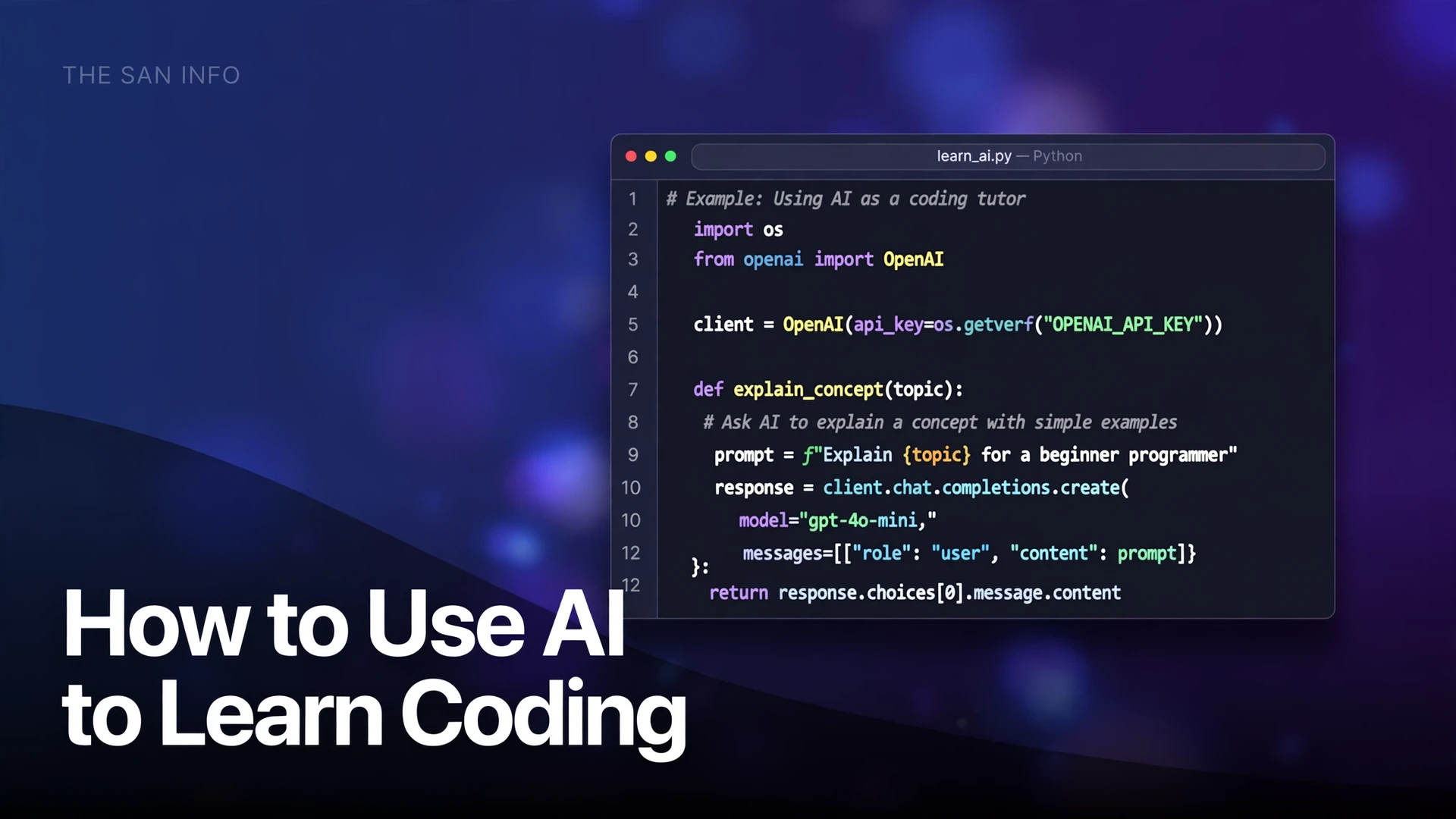
How to Use AI to Learn Coding (Without Becoming Dependent on It)

Quick answer: Use AI to learn coding as a tutor, not as a typist. Try every problem yourself first, ask the AI for a hint instead of a solution, make it explain the code line by line, then run the code and test edge cases before you trust it. That order is the whole method: AI explains and checks, you write and understand. Skip the struggle and you will finish tutorials quickly and remember almost nothing.
The stakes are higher than most beginner guides admit. In the Stack Overflow Developer Survey 2025, 84% of respondents said they use or plan to use AI tools in development, and 51% of professional developers said they use them daily — yet 46% distrusted the accuracy of AI output, and 66% said their top frustration was answers that were “almost right, but not quite” (Stack Overflow Developer Survey 2025). Beginners feel that gap hardest: code that looks finished can hide a bug you cannot yet spot. I tested the method below with real Python examples, running every snippet locally and checking the outputs, so the code in this guide is code I have actually seen run — including two classic bugs that AI-generated code produces regularly.
Why does learning to code with AI go wrong so often?
It goes wrong in one specific way: the AI removes the exact step that builds skill. When you read a solution, it feels clear. When you later face a blank editor, that clarity evaporates, because understanding someone else’s code is a different skill from writing your own. Psychologists call the first feeling fluency; programmers call the second one the blank-page test. AI makes fluency cheap and the blank-page test brutally honest.
The second failure is subtler. AI code is often almost right. A function can pass your one test and fail on an empty list, a duplicate value, or a larger input. A beginner who accepts the first working output never learns to ask, “What input would break this?” That question is the job. GitHub’s own guidance for reviewing AI-generated code makes the same point: always run automated tests, check for new warnings or errors, and watch for hallucinated packages that do not actually exist (GitHub Docs: Review AI-generated code). If professional developers are told to verify every suggestion, beginners should treat verification as part of learning, not as an optional extra.
What is the tutor-not-shortcut system?
Five rules, applied in order, turn any chatbot or coding assistant into a teacher:
- Try first, for 20 minutes. Write down the input, the expected output, and one small example worked by hand before you open the AI. If you cannot state the problem, the AI will solve a different one.
- Ask for a hint, not a solution. “Give me one hint about the approach, not the code” produces learning. “Write the program” produces a finished file you do not understand.
- Explain before you accept. Paste any AI code back and ask it to explain each line in plain language. If you cannot re-explain it without looking, you have not learned it yet.
- Run it, then break it. Run the code, then feed it an empty input, a duplicate, and a large input. Fix what breaks yourself, with the AI only pointing at the faulty line.
- Rebuild from memory. Close the chat, close the solution, and rewrite the program from scratch. This one step is worth more than ten read-throughs.
That last rule is the one most learners skip, and it is the one that matters most. A program you can rebuild cold is a concept you own. A program you can only recognize is a concept you rented.
Which AI tool should a beginner start with?
Start with two tools, not five. A general chatbot for explanations, and an in-editor assistant for suggestions while you type. If you want to compare those in-editor options side by side, see the best AI coding assistants roundup before you commit to one. Adding more tools early just adds decisions. Pick Python as your first language: its syntax reads close to plain English, its error messages are comparatively friendly, and almost every AI tool handles it well.
| Tool | Best for learning | Cost note | Watch out for |
|---|---|---|---|
| ChatGPT | Explaining concepts, hint-first tutoring, generating practice exercises | General chat; start on the no-cost tier | Confident wrong answers; always run its code |
| Claude | Long explanations, reviewing your code, step-by-step debugging | General chat; start on the no-cost tier | Long answers that bury the key point; ask for the short version |
| GitHub Copilot | In-editor suggestions while you type in VS Code | No-cost tier with monthly limits; Pro is $10 per month, and verified students can get premium features at no cost, per GitHub’s own plan docs | Suggestions that finish your thought before you have it; pause and read every suggestion |
| Cursor | Building a small project with AI help inside the editor | Editor with AI built in; check current pricing before committing | Too easy to let it write whole files; use it after week two, not on day one |
If you only pick one, pick a general chatbot plus a plain editor. In-editor autocomplete is wonderful once you can read code, and a distraction before that. For a head-to-head on the two chatbots in this table, see Claude vs Gemini for Coding on this site, and if you want the editor side set up properly first, How to Set Up Your First Vibe Coding Environment walks through the setup step by step.
How do you set up a learning workspace in 15 minutes?
You need exactly two installs, both no-cost. Download Python from the official python.org downloads page, and download Visual Studio Code from code.visualstudio.com. During the Python install, tick the box that adds Python to your system PATH, so you can run it from a terminal. Then open VS Code, create a file called practice.py, and type your first program:
print("Hello, I am learning to code.")
print(2 + 3)
Run it from VS Code’s terminal. If it prints the greeting and 5, your setup works. Everything in this guide assumes that setup: Python in VS Code, one file at a time, with the AI in a separate chat window — not writing the file for you.
What do good AI coding prompts look like?
Good prompts give the AI a role, a constraint, and a test. Compare a weak prompt with a strong one for the same task — summing the even numbers in a list:
Weak: “Write a Python program to sum even numbers.”
Strong: “I am learning Python. Do not give me the full code yet. Give me one hint about how to check whether a number is even, then a second hint about how to accumulate a total. After I write my version, I will paste it and I want you to point out bugs without rewriting it.”
The strong prompt does three things the weak one does not: it sets the AI’s role (tutor, not typist), it breaks the task into steps you can attempt, and it reserves the writing for you. Use the same pattern for the three jobs you will repeat most:
- Explain: “Explain this code line by line, as if I am a complete beginner. Tell me what each variable holds after each line runs.”
- Hint: “I am stuck on this problem. Do not give me code. Give me one hint about the approach, with a tiny example that is not my problem.”
- Debug: “Here is my code and the error message. Point to the line that is most likely wrong and explain why, but do not rewrite the code.”
For more prompt patterns that transfer across tools, How to Write Better AI Prompts on this site collects 25 copy-paste formulas, several of which work word-for-word for coding questions.
What does tested AI-assisted code actually look like?
Here is the even-numbers program, written the slow way, with tests I ran locally. The outputs below are real outputs from running the code, not guesses:
def sum_evens(numbers):
    total = 0
    for n in numbers:
        if n % 2 == 0:
            total += n
    return total

print(sum_evens([1, 2, 3, 4, 5, 6]))  # 12
print(sum_evens([]))                  # 0
print(sum_evens([1, 3, 5]))           # 0
Note the third test. A program that only gets tested on a friendly list can hide a bug for weeks. The empty-list test and the no-evens test are the tests that earn your trust, because they check the cases a tutorial example never shows. Make it a habit: every function you write gets at least three tests — a normal case, an empty case, and a weird case.
Can AI code be wrong even when it looks right?
Yes, and the failures are instructive precisely because they look innocent. I ran two classic examples locally. First, an off-by-one error — the most common beginner bug, and one AI suggestions produce regularly:
def first_three_buggy(items):
    result = []
    for i in range(1, 3):
        result.append(items[i])
    return result

print(first_three_buggy(['a', 'b', 'c', 'd']))  # ['b', 'c'] — wrong
print(['a', 'b', 'c', 'd'][:3])                 # ['a', 'b', 'c'] — right
The buggy version skips the first item and stops one short, because range(1, 3) produces 1 and 2, not 1, 2, and 3. A beginner reading that code quickly sees a loop and a list and moves on. Running it exposes the problem in one second. That is why rule four — run it, then break it — is non-negotiable.
Second, the mutable-default trap, a Python classic that even experienced developers trip over:
def add_item_bad(item, cart=[]):
    cart.append(item)
    return cart

print(add_item_bad("book"))  # ['book']
print(add_item_bad("pen"))   # ['book', 'pen'] — the first call leaked in
The default list is created once, not fresh on every call, so the second call inherits the first call’s item. The fix is to default to None and create a new list inside the function — and I verified locally that the fixed version returns [‘book’] and then [‘pen’] separately. If an AI suggests a default list, dictionary, or set in a function signature, treat it as suspect until you have tested two calls in a row. This is exactly the kind of almost-right answer the Stack Overflow survey respondents complained about: it works on the first test and fails in real use.
What does a 4-week AI-assisted learning plan look like?
Follow this plan with 45 minutes a day, five days a week. The AI’s role shrinks as yours grows — that is the point.
| Week | Focus | What the AI does | What you do alone |
|---|---|---|---|
| Week 1 | Variables, loops, conditions | Explains every line; gives hints, never full programs | Write 10 tiny programs from scratch; rebuild each cold the next day |
| Week 2 | Functions, lists, debugging | Points at buggy lines; explains error messages in plain language | Debug 5 broken programs without letting the AI rewrite them |
| Week 3 | A small real project | Reviews your code; suggests tests and edge cases | Build one project end to end: a quiz game, a budget tracker, or a to-do list app |
| Week 4 | Reading real code | Explains one open-source file per day; quizzes you on it | Read and summarize a real project file daily; change one behavior and test it |
By week three, you should notice a shift: you open the AI less often, and when you do, your questions get sharper. “Why does this loop skip the last item?” is a learner’s question. “Write me a loop” is a shortcut’s question. Track which kind you are asking — it tells you more about your progress than any tutorial completion badge.
How do you check AI-generated code before trusting it?
Run this five-point check on every AI suggestion, even a short one:
- Run it. Code that has not run is a rumor. Run it on your normal case first.
- Test the edges. Empty input, a single item, duplicates, and a very large input. Most AI bugs live at the edges.
- Read every line aloud. If you cannot explain a line, ask the AI to explain it, then re-explain it in your own words.
- Verify every package and function name. AI tools invent plausible-sounding library names. Check each one in the official docs before installing anything.
- Never paste secrets. API keys, passwords, private tokens, and work code you do not own never go into a chat box. Redact them first, every time.
GitHub’s review guidance adds two professional habits worth adopting early: run automated tests and static analysis before accepting a change, and check that the code fits your project’s existing patterns rather than just solving the immediate problem (GitHub Docs: Review AI-generated code). For a learner, the equivalent is simpler: does this code match the style of the code you already understand, or does it smuggle in a technique you have never seen? If it smuggles, ask about that technique before you accept the code.
When should you not use AI to learn coding?
Three situations call for the AI to stay closed. First, assessed work: if a course, exam, or hiring task forbids AI help, using it is not learning, it is misrepresentation, and it teaches you nothing about how you perform under real conditions. Practice for those assessments without AI, even if you learn with AI the rest of the time. Second, code that handles other people’s data or money: do not ship AI-written code into anything real until you can review it line by line and test it properly. Third, the first attempt at any new concept: struggle with it for 20 minutes first. That struggle is not wasted time. It is the map the AI’s explanation will later hang on — without it, explanations slide off.
One honest note on method: I did not run a multi-week trial with a control group, and no single guide can prove a learning method works for everyone. What I did do is run every code example in this article locally, verify the outputs quoted, and build the prompts from the patterns that working developers describe: hint-first, explain-back, and test-the-edges. Treat the plan as a disciplined starting point, then adjust the pace to your own results. If week one’s rebuild-from-memory step feels easy, move faster. If it feels impossible, slow down and shrink the programs, not the standard.
Frequently asked questions
Yes, if the AI is used as a tutor rather than a typist. Beginners learn fastest when they attempt each problem first, ask for hints instead of solutions, and rebuild programs from memory. A beginner who only pastes AI output learns to prompt, not to program.
Start with a general chatbot such as ChatGPT or Claude for explanations, plus VS Code and Python, which cost nothing to download. Add GitHub Copilot in the editor once you can read code comfortably. The tool matters less than the method: try first, ask for hints, explain back, and test edge cases.
Learning with AI is widely accepted, but assessed work is different. If a course, exam, or hiring assessment forbids AI help, using it there misrepresents your skill. Learn with AI during practice, and practice without it before any assessment that will judge you alone.
Run it, then test an empty input, a single item, duplicates, and a large input. Read every line and re-explain it in your own words. Verify every package and function name in the official docs, since AI tools sometimes invent plausible names. Code that passes one friendly test is not yet proven.
Python is the safest first choice. Its syntax reads close to plain English, its error messages are comparatively friendly, and every major AI tool handles it well. Once you understand variables, loops, functions, and debugging in Python, a second language is mostly new syntax on top of the same ideas.
With about 45 minutes a day, five days a week, most beginners can write small programs confidently and debug simple errors within about four weeks. Real fluency takes longer, and AI does not shorten that honestly: it removes typing time, not learning time. Judge progress by what you can rebuild from memory, not by how many tutorials you finished.