IPv6 vs IPv4: What’s the Difference?

IPv6 vs IPv4 is one of the most common networking questions because both protocols are still used across the Internet.
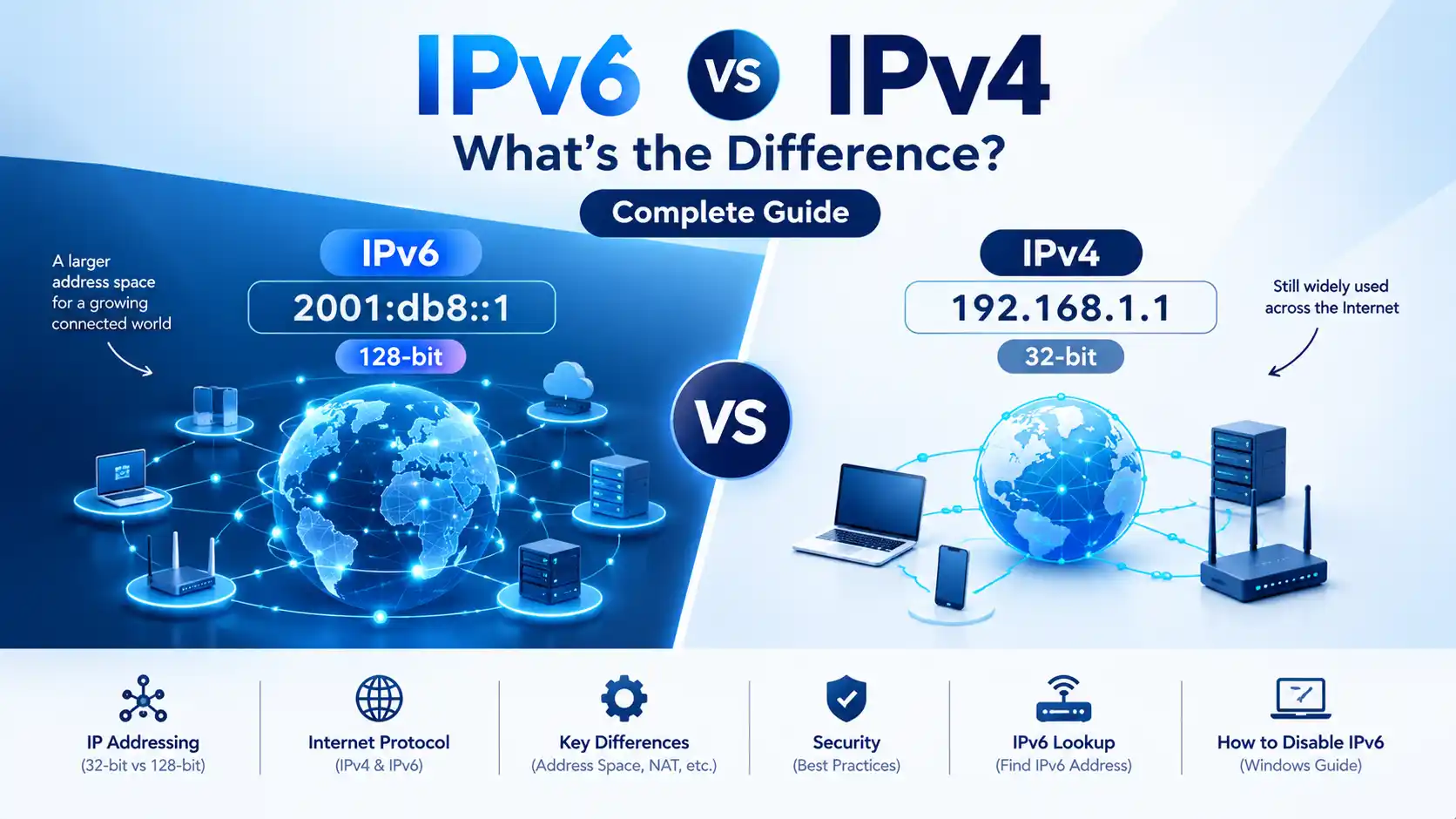
IPv4 is the older Internet Protocol that uses 32-bit addresses, while IPv6 was designed as its successor and uses 128-bit addresses. The much larger IPv6 address space was created to support the continued growth of Internet-connected devices and reduce dependence on IPv4 address-sharing techniques such as NAT.
IPv6 is no longer an experimental technology. APNIC’s latest 30-day measurement covering August 30 through September 28, 2026 shows approximately 43.72% of measured users were IPv6-capable and 41.58% preferred IPv6 globally. Measurement methodologies differ, but the data clearly shows substantial real-world IPv6 deployment.
Quick answer: IPv4 uses 32-bit addresses such as
192.168.1.1, while IPv6 uses 128-bit hexadecimal addresses such as2001:db8::1. IPv6 provides a vastly larger address space and modern networking capabilities, while IPv4 remains widely deployed and is often used alongside IPv6 through dual-stack and transition technologies.
IPv6 vs IPv4 at a Glance
| Feature | IPv4 | IPv6 |
|---|---|---|
| Protocol | Internet Protocol version 4 | Internet Protocol version 6 |
| Address size | 32 bits | 128 bits |
| Address format | Decimal numbers separated by dots | Hexadecimal groups separated by colons |
| Example | 192.168.1.1 | 2001:db8::1 |
| Address capacity | 232 addresses | 2128 addresses |
| Broadcast | Supported | No broadcast; multicast is used instead |
| NAT dependence | Commonly used | Less dependent on NAT for address conservation |
| Address configuration | DHCP and manual configuration are common | SLAAC, DHCPv6 and manual configuration are supported |
| DNS record | A record | AAAA record |
| Current deployment | Still widespread | Rapidly deployed alongside IPv4 |
What Is IPv4?
IPv4, or Internet Protocol version 4, is the fourth version of the Internet Protocol and remains heavily used across the Internet.
IPv4 uses a 32-bit address. That produces:
232 = 4,294,967,296 possible addresses
An IPv4 address is normally written as four decimal numbers separated by periods.
Example:
192.168.1.1
Another example of a public IPv4 address is:
8.8.8.8
IPv4’s limited address space became increasingly difficult to manage as the number of Internet-connected computers, smartphones, servers, IoT devices and other systems grew.
Techniques such as Network Address Translation (NAT) allow multiple devices using private IPv4 addresses to share a public IPv4 address. Google notes that IPv4’s 32-bit address space is much smaller than the number of devices connected to today’s Internet, which is one reason private addressing and NAT are widely used.
What Is IPv6?
IPv6, or Internet Protocol version 6, is the successor to IPv4.
The major architectural change is the address size.
IPv6 uses 128-bit addresses, giving it:
2128 ≈ 3.4 × 1038 addresses
That is vastly larger than the IPv4 address space.
The IETF’s IPv6 specification identifies the expanded 128-bit address space as one of the major changes introduced by IPv6. It also introduces changes to the header structure, extension mechanisms, flow labeling and addressing architecture.
An IPv6 address looks very different from an IPv4 address.
Example:
2001:db8:1234:5678:0000:0000:0000:0001
This can be shortened to:
2001:db8:1234:5678::1
IPv6 uses hexadecimal digits and eight 16-bit groups. The :: notation can compress consecutive groups of zeros, subject to the IPv6 address representation rules.
What Is the Difference Between IPv4 and IPv6?
The biggest difference is the address size.
IPv4 has a 32-bit address space, whereas IPv6 has a 128-bit address space. But the differences go well beyond the number of available addresses. IPv6 also changes address configuration, packet handling, multicast, neighbor discovery and other parts of Internet networking.
1. IPv4 Uses 32-Bit Addresses
An IPv4 address contains 32 bits.
Example:
192.168.0.1
IPv4 addresses are usually easier for beginners to recognize because they use familiar decimal numbers.
2. IPv6 Uses 128-Bit Addresses
An IPv6 address contains 128 bits.
Example:
2001:db8::1
Because the address is much larger, IPv6 can provide an enormous number of unique addresses.
3. IPv4 Frequently Uses NAT
Because public IPv4 addresses are limited, many networks use private IPv4 addressing together with NAT.
For example, devices inside a home network might use:
192.168.1.10
192.168.1.11
192.168.1.12
The router can then use a single public IPv4 address for Internet communication.
IPv6 was designed to provide a sufficiently large address space so that networks do not need to depend on NAT simply for address conservation.
4. IPv6 Does Not Use Broadcast
IPv4 includes broadcast communication.
IPv6 does not use broadcast. Instead, IPv6 provides multicast and anycast mechanisms for communication patterns that require delivery to multiple destinations or one destination from a group.
5. IPv6 Supports Automatic Address Configuration
IPv6 supports mechanisms such as Stateless Address Autoconfiguration (SLAAC).
This allows devices to configure IPv6 addresses using information supplied by the network.
DHCPv6 and manually configured addresses can also be used depending on the network design.
6. IPv6 Uses Different DNS Records
IPv4 host addresses are normally published through DNS A records.
IPv6 host addresses use AAAA records.
For example, when a DNS lookup requests an AAAA record, the result can contain an IPv6 address for that hostname. Google Public DNS supports queries for AAAA records and IPv6-only environments.
Is IPv6 Faster Than IPv4?
Not automatically.
This is one of the most common IPv6 misconceptions.
IPv6 does not guarantee a faster Internet connection simply because it is newer.
Actual performance depends on:
- ISP routing
- Network congestion
- Peering
- DNS resolution
- Server configuration
- Device networking
- Transit providers
- Packet paths
- IPv4/IPv6 connectivity quality
In some networks IPv6 can provide a better path, while in other networks IPv4 may perform similarly or better.
Google’s Public DNS documentation specifically notes that unusually high IPv6 resolution latency can indicate suboptimal IPv6 connectivity or routing between an ISP and Google.
Therefore:
IPv6 ≠ automatically faster
and
IPv4 ≠ automatically slower
Is IPv6 More Secure Than IPv4?
The answer is more complicated than a simple yes or no.
IPv6 includes modern protocol capabilities and supports security technologies, but simply enabling IPv6 does not automatically make a network secure.
Security still depends on:
- Firewall configuration
- Router configuration
- Operating-system security
- Application security
- Access controls
- Monitoring
- Network architecture
- Correct IPv6 configuration
An important practical difference is that administrators should not assume an IPv6-enabled device is protected merely because its IPv4 address is protected by NAT.
A properly configured IPv6 firewall remains important.
What Is an IPv6 Address?
An IPv6 address is a 128-bit identifier used by IPv6-enabled network interfaces.
A full IPv6 address can contain eight groups of hexadecimal digits.
Example:
2001:0db8:0000:0000:0000:ff00:0042:8329
It can be compressed to:
2001:db8::ff00:42:8329
The IETF defines specific rules for writing IPv6 addresses, including suppressing unnecessary leading zeros and using :: to compress the longest eligible sequence of zero groups.
Common IPv6 address types
These address categories are defined by the IPv6 addressing architecture.
| Type | Example | Purpose |
|---|---|---|
| Loopback | ::1 | Refers to the local device |
| Link-local | fe80::/10 | Used for communication on the local link |
| Global unicast | 2000::/3 | Globally routable IPv6 addresses |
| Multicast | ff00::/8 | One-to-many communication |
What Is an IPv6 Lookup?
An IPv6 lookup usually means checking whether a domain, hostname or device has an IPv6 address and determining what that address is.
There are several different things people may mean by “IPv6 lookup.”
Domain IPv6 lookup
You can check the IPv6 address published for a domain by querying its AAAA DNS record.
For example:
nslookup -type=AAAA example.com
On systems with dig:
dig AAAA example.com
A result may contain an address such as:
2606:4700::6810:xxxx
The exact result depends on the domain and DNS configuration.
Check your device’s IPv6 address
On Windows, you can use:
ipconfig
Look for an IPv6 Address or Temporary IPv6 Address associated with the relevant network adapter.
On Linux:
ip -6 addr
The exact addresses displayed depend on the network you’re connected to.
IPv6 lookup vs IP lookup
An IP lookup service may provide information such as:
- IP address
- IP version
- ISP/network
- Autonomous System Number
- Approximate geographic information
- Reverse DNS information
However, an IP lookup result should not be treated as an exact physical location or complete identity record.
How to Find Your IPv6 Address
There are several ways to find your IPv6 address.
Windows
Open Command Prompt and run:
ipconfig
Look for entries containing IPv6 addresses.
Linux
Run:
ip -6 addr
DNS
For a website, query its AAAA record:
nslookup -type=AAAA example.com
or:
dig AAAA example.com
Remember that a domain can have an IPv4 address, an IPv6 address, both, or neither depending on its DNS configuration.
How to Disable IPv6
Most users should not disable IPv6 just because IPv6 is present.
Microsoft explicitly warns that disabling IPv6 or unbinding IPv6 from network interfaces is not recommended because some Windows components may not work correctly. Microsoft recommends preferring IPv4 over IPv6 when troubleshooting rather than completely disabling IPv6.
However, temporary IPv6 disabling may be useful for troubleshooting a specific network or compatibility problem.
How to Disable IPv6 on Windows
On Windows, the traditional network-adapter method is:
- Open Control Panel.
- Go to Network and Internet.
- Open Network Connections.
- Right-click your active Wi-Fi or Ethernet connection.
- Select Properties.
- Find Internet Protocol Version 6 (TCP/IPv6).
- Temporarily uncheck it.
- Click OK.
- Reconnect to the network or restart the adapter if necessary.
Before disabling IPv6, document your previous configuration so you can restore it later.
For persistent business, server or enterprise networking problems, changing the preferred address policy can be safer than globally disabling IPv6. Microsoft specifically documents Prefer IPv4 over IPv6 as the recommended alternative to completely disabling IPv6 in Windows Server environments.
Should You Disable IPv6?
For most modern networks, no.
IPv6 is an important part of the Internet’s ongoing evolution, and many devices, applications and networks already support it.
Apple, for example, has required App Store apps to support IPv6-only networks since June 1, 2016.
Android has also continued expanding IPv6 support. Google documented DHCPv6 Prefix Delegation support added to Android’s networking stack to improve IPv6 deployment and allow networks to provide dedicated IPv6 prefixes.
If IPv6 is causing a problem, troubleshoot the actual issue first:
- Test DNS resolution
- Check router firmware
- Check ISP IPv6 connectivity
- Test IPv4 and IPv6 paths separately
- Check firewall rules
- Check whether the website has a broken AAAA record
- Test whether an application is IPv6-compatible
Disabling IPv6 should generally be a troubleshooting step rather than a default configuration.
IPv4 vs IPv6: Which One Is Better?
There is no need to think of IPv4 and IPv6 as two completely separate competing Internets.
For many users, both protocols operate together.
This is called dual-stack networking.
A device may have:
IPv4: 192.168.1.20
and also:
IPv6: 2001:db8::1234
When a service supports both IPv4 and IPv6, the device and network can determine which path to use.
Modern connection strategies can attempt IPv6 and IPv4 and use the path that provides an appropriate connection. APNIC’s IPv6 measurement methodology also discusses the role of browser connection behavior such as Happy Eyeballs in dual-stack environments.
Why Is IPv6 Important?
The main reason IPv6 matters is straightforward:
The Internet needs a much larger address space.
IPv4’s 32-bit address space is fundamentally limited.
IPv6’s 128-bit address space provides an enormous supply of addresses for:
- Smartphones
- Computers
- Servers
- Cloud infrastructure
- Smart TVs
- IoT devices
- Industrial equipment
- Vehicles
- Sensors
- Home networks
- Enterprise networks
IPv6 also reduces the need to rely on NAT solely to conserve globally routable addresses.
As IPv6 adoption grows, understanding IPv6 becomes increasingly important for website owners, system administrators, developers and network users.
IPv6 vs IPv4 for Website Owners
Website owners should not automatically disable IPv6.
If your hosting provider supports IPv6, you can investigate whether your website has an AAAA record in addition to its IPv4 A record.
A basic DNS configuration may look like:
example.com    A       203.0.113.10
example.com    AAAA    2001:db8::10
A website with both records can be reachable over IPv4 and IPv6, provided the server, firewall, DNS and hosting environment are configured correctly.
Cloudflare currently enables IPv6 compatibility by default for supported proxied domains and can generate AAAA records that allow IPv6 clients to reach services behind Cloudflare.
For website owners using a CDN, reverse proxy or security service, IPv6 should therefore be considered part of the complete networking configuration rather than an isolated DNS setting.
IPv6 Adoption Today
IPv6 adoption varies significantly by country, region and network provider.
| Region | IPv6 Capable | IPv6 Preferred |
|---|---|---|
| World | 43.72% | 41.58% |
| Asia | 50.62% | 47.49% |
| Americas | 50.70% | 49.49% |
| Europe | 36.11% | 35.28% |
| Oceania | 42.60% | 40.05% |
| Africa | 6.37% | 6.19% |
APNIC’s current 30-day global measurement ending September 28, 2026 shows:
These figures represent APNIC Labs’ measurement methodology and should not be interpreted as a census of all Internet users or all Internet traffic.
APNIC’s measurement also shows that adoption can vary substantially between individual networks and economies, which means a site’s IPv6 experience can depend heavily on the user’s ISP and region.
IPv6 vs IPv4: Common Misconceptions
“IPv6 is always faster.”
Not necessarily. Routing, peering, congestion, DNS and network configuration determine actual performance.
“IPv6 makes NAT unnecessary everywhere.”
IPv6 greatly reduces the need for NAT as an IPv4 address-conservation mechanism, but network designs can still use different translation or gateway technologies for specific compatibility scenarios.
“IPv6 is automatically more secure.”
No. Security depends on correctly configured firewalls, systems, applications and network policies.
“My IPv6 address never changes.”
Not necessarily. Devices can have multiple IPv6 addresses and may use temporary addresses or receive new prefixes depending on network configuration.
“If I don’t see an IPv6 address, IPv6 doesn’t exist.”
A device, router, ISP or application may simply not have IPv6 connectivity configured.
Frequently Asked Questions
IPv4 uses 32-bit addresses, while IPv6 uses 128-bit addresses. IPv6 provides a dramatically larger address space and introduces changes to addressing, configuration, multicast and packet processing.
IPv6 is Internet Protocol version 6, designed as the successor to IPv4. Its most visible difference is its 128-bit address space.
An IPv6 address uses hexadecimal groups separated by colons, such as 2001:db8::1. Zero compression using :: is permitted under defined IPv6 address representation rules.
On Windows, run ipconfig. On Linux, run ip -6 addr. For a website, you can perform an AAAA DNS lookup with nslookup -type=AAAA example.com or dig AAAA example.com.
An IPv6 lookup can mean checking an IPv6 address associated with a device or querying the AAAA DNS record for a domain.
IPv6 solves important limitations of IPv4, especially the restricted address space, but IPv4 remains widely deployed. Modern networks commonly use both.
Usually not. Microsoft recommends against disabling IPv6 as a general Windows configuration and suggests preferring IPv4 over IPv6 when appropriate for troubleshooting.
Yes. Dual-stack networks can provide both IPv4 and IPv6 connectivity on the same device and network.
IPv6 can sometimes provide a better network path, but the protocol itself does not guarantee faster Internet access. Actual performance depends on routing and network conditions.
IPv6 support is increasingly relevant as IPv6 deployment grows. Website owners should check whether their hosting provider, DNS, server, firewall and CDN correctly support both IPv4 and IPv6.
Final Thoughts
The IPv6 vs IPv4 discussion is ultimately about how the Internet handles addressing and connectivity.
IPv4 remains important because it is deeply established across the Internet. IPv6 exists because the original 32-bit address system cannot provide the scale required by today’s connected world.
The practical future is not simply “IPv4 disappears and IPv6 suddenly replaces it.”
For many users and organizations, the transition involves IPv4 + IPv6 together, with dual-stack networking and other transition technologies allowing both protocols to coexist.
Understanding the difference between IPv4 and IPv6 also makes related tasks easier, whether you are checking an IPv6 address, performing an IPv6 lookup, configuring DNS, troubleshooting connectivity, or deciding whether you should disable IPv6 on a particular device.
As IPv6 deployment continues to grow, knowing how both protocols work is increasingly useful for website owners, developers, IT professionals and everyday Internet users.